[Preferences / Advanced] 에서 “Include location information for published photos” 를 선택해주면 됩니다.
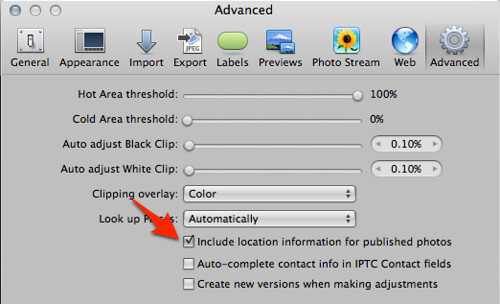
이 옵션을 선택한 후 사진을 Flickr 에 업로드하면 아래와 같이 위치 정보가 나옵니다.
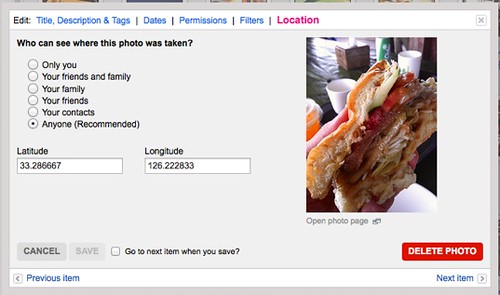
간단하죠잉~?
Author Details

Kubernetes, DevSecOps, AWS, 클라우드 보안, 클라우드 비용관리, SaaS 의 활용과 내재화 등 소프트웨어 개발 전반에 도움이 필요하다면 도움을 요청하세요. 지인이라면 가볍게 도와드리겠습니다. 전문적인 도움이 필요하다면 저의 현업에 방해가 되지 않는 선에서 협의가능합니다.