무슨 일인지 명령 줄의 기본 코드 페이지가 UTF-8로 바뀌었다. 속성 값을 살펴보아도 뾰족한 수가 없어 레지스트리에서 관련 값을 찾았다.
컴퓨터\HKEY_CURRENT_USER\Console\%SystemRoot%_System32_cmd.exe
이 값을 직접 949 (10진수, 한글 윈도우 기준)로 바꾸니 원래대로 돌아왔다.
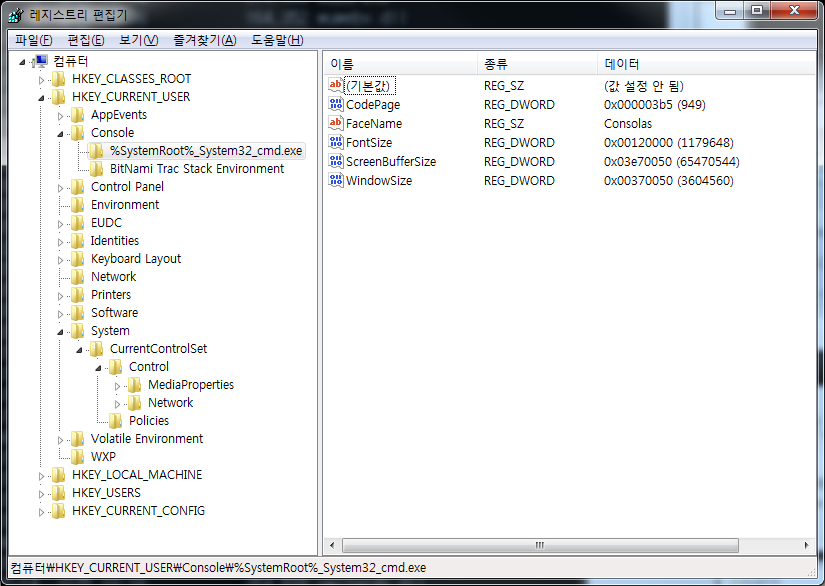
참, 명령 줄의 코드 페이지를 임시로 바꿀 때는 chcp 명령어를 사용한다.
Author Details

Kubernetes, DevSecOps, AWS, 클라우드 보안, 클라우드 비용관리, SaaS 의 활용과 내재화 등 소프트웨어 개발 전반에 도움이 필요하다면 도움을 요청하세요. 지인이라면 가볍게 도와드리겠습니다. 전문적인 도움이 필요하다면 저의 현업에 방해가 되지 않는 선에서 협의가능합니다.